



TrainingPeaks Virtual is an indoor cycling platform within the TrainingPeaks ecosystem that supports you in acquiring, retaining, and engaging with your athletes year-round. With TrainingPeaks Virtual, you can showcase your coaching brand, build your own teams (with custom kits), and create your own group races, events, rides and workouts. TrainingPeaks Virtual is included with a TrainingPeaks Premium subscription.
In this article, we’ll give an overview of how to:
- Access TrainingPeaks Virtual
- Log in to TrainingPeaks Virtual
- Create a Virtual Team Your Athletes Can Join, With Custom Kits
- Upload Custom Routes for Your Athletes With My Routes
- Create Group Rides and Races
- Customize Your Events
- Interact With Your Athletes in Real-Time
1. Download the TrainingPeaks Virtual App
Download the TrainingPeaks Virtual app on your computer, smartphone, tablet, or Apple TV.
2. Log In to TrainingPeaks Virtual
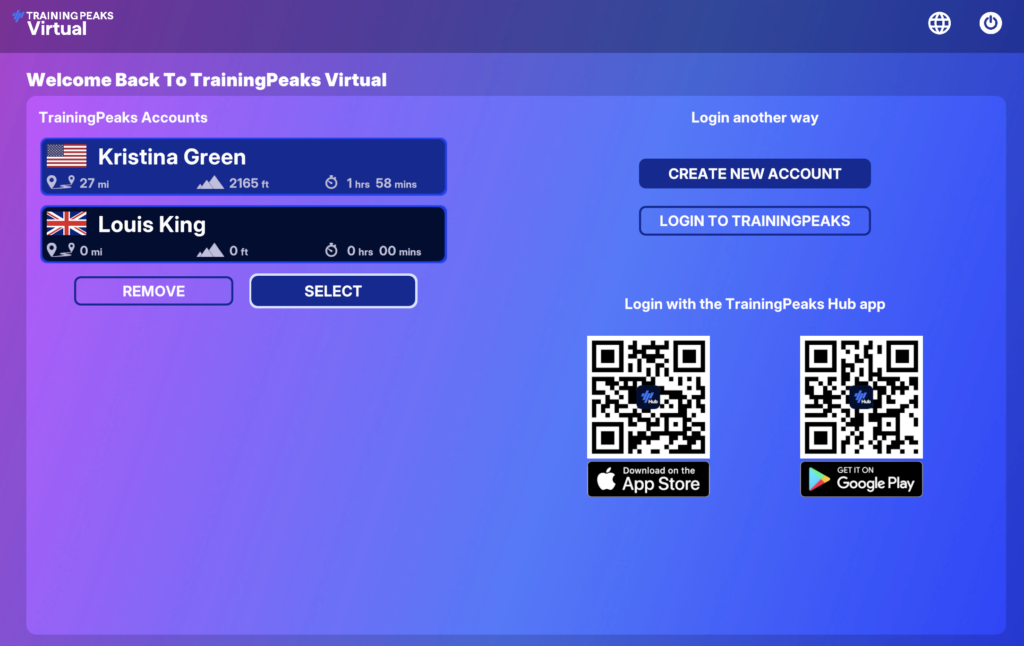
Log in using your TrainingPeaks coach credentials to get started.
- If you have an existing TrainingPeaks Coach Account, click ‘Login to TrainingPeaks’ on the login page and enter your TrainingPeaks Coach credentials to access TrainingPeaks Virtual.
- If you are new to TrainingPeaks, you can start a free seven-day Coach account trial using this link. Once you create an account, you can log in to Virtual with your new account credentials.
- *Note: If you are utilizing Virtual to coach your athletes, you’ll have full access to do so with your existing Coach account. If you’re looking to ride in Virtual, you’ll need to use your Athlete credentials to log in.
3. Create a Team and Custom Kits
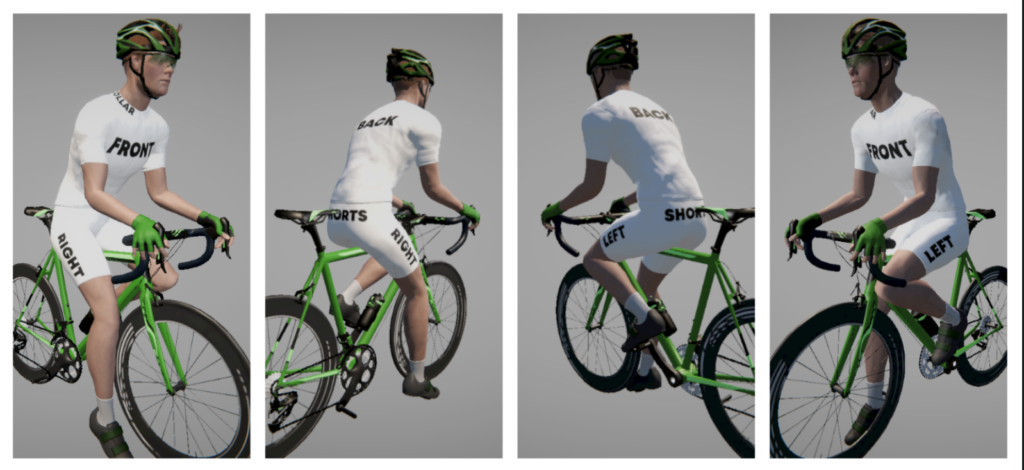
TrainingPeaks Virtual empowers you as a coach with advanced customization tools to elevate the athlete experience and strengthen your coaching business.
Build your team and design unique kits to bring your coaching brand to life. Follow these instructions on creating a custom team and designing your kit. Once you have submitted your kit design, it will be integrated into the game and available to wear in approximately five days.
You can invite all your athletes to join your team, which will allow them to wear your custom kit any time they ride in TrainingPeaks Virtual. Creating a team is just one more way to offer a sense of connection and community to your athletes year-round.
4. Upload Custom Routes With My Routes
Virtual’s My Routes feature gives you the ability to create custom routes for your athletes by uploading a GPX file. Whether you’re hosting a group ride or are preparing an athlete for their upcoming race, My Routes lets you upload any route in the world with a GPX file.
- If you have an existing GPX file, you can upload it directly to TrainingPeaks.
- You can use a route builder (Ride with GPS, GPX Studio, Strava, or Garmin) to create a custom route.
- Upload your route in the Virtual Routes Library, on the left side of the calendar on the web app.
5. Create Group Rides and Races
TrainingPeaks Virtual makes it easy to ride together. You can host Group Rides—no results, just training—or Group Workouts where everyone completes the same session.
- Create an event: Click your profile icon → Organise Events → Add New. Choose Group Ride or Group Workout.
- For group rides, select from existing routes in Virtual or a custom GPX route you loaded with My Routes.
- For workouts, select from built-in sessions, your custom files, or synced TrainingPeaks workouts.
- Add leaders: Assign additional ride leaders directly in the event setup.
- Stay together: The built-in rubber band effect keeps the group intact. Ride harder or easier, and the system adjusts speed so no one drifts too far. Bots even match the group’s pace—fast, slow, or paused.
- Chat tools: Enable in-ride chat under Menu > Options > UI Settings. Leaders can highlight their messages with custom colors.
Group events keep training social, flexible, and fun—whether you’re looking for accountability or variety in your indoor rides.
6. Customize Your Events
With TrainingPeaks Virtual, you can design and run your own events—exactly how you want them. From the Organise Events menu, you can create, edit, broadcast, and review results for any custom race or ride.
- Create & Edit: Set event name, description, date, and type (scratch, points, elimination, time trial, group ride, or group workout). Customize field size, course, laps, conditions, and entry options. For race formats, define points or eliminations at course markers. Add branding, access codes, or ability-based matchmaking to tailor the experience.
- Broadcast & Stream: Access a dedicated camera view without joining the race. Toggle UI elements on or off, switch perspectives, and stream raw or customized footage for broadcast.
- Results & Reporting: View race results in-game immediately, or export to CSV for series tracking, custom graphics, or integration with third-party tools.
Custom events give you complete control—whether you’re creating competitive formats, private rides, or branded showcases.
7. Spectate an Athlete’s Workout and Chat
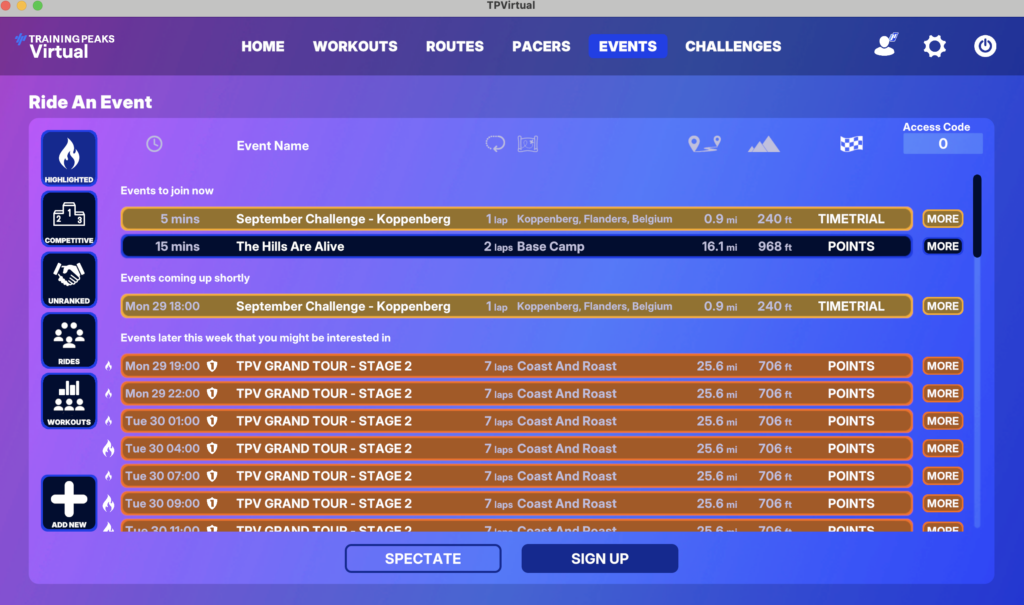
TrainingPeaks Virtual includes a dedicated Director Sportif (DS) mode for team managers.
- Automatic Access: Managers can spectate any event their riders join—no setup or entry required.
- Configurable View: Adjust camera angles, switch riders, and toggle UI elements to watch the race exactly as you want.
- Private Team Chat: Send in-game messages directly to your riders, and receive messages back that only teammates and the manager can see.
DS Mode gives managers the tools to support their athletes in real time—strategically, privately, and without interruption.
Watch This Free Webinar for More Virtual Tips
TrainingPeaks Virtual Founder George Gilbert provided some great insights on how to use TrainingPeaks Virtual in your coaching. Our extensive Q&A covered topics including group rides, team setup, uploading GPX files using My Routes, and prescribing Virtual workouts.


